Workflows
Workflows
Set up a process once. Stacklink runs it step by step and keeps its place.
A workflow is a set of steps that Stacklink runs for you, in order. It can use your apps, ask a Bot, wait for a person, and pick up where it stopped if something fails.
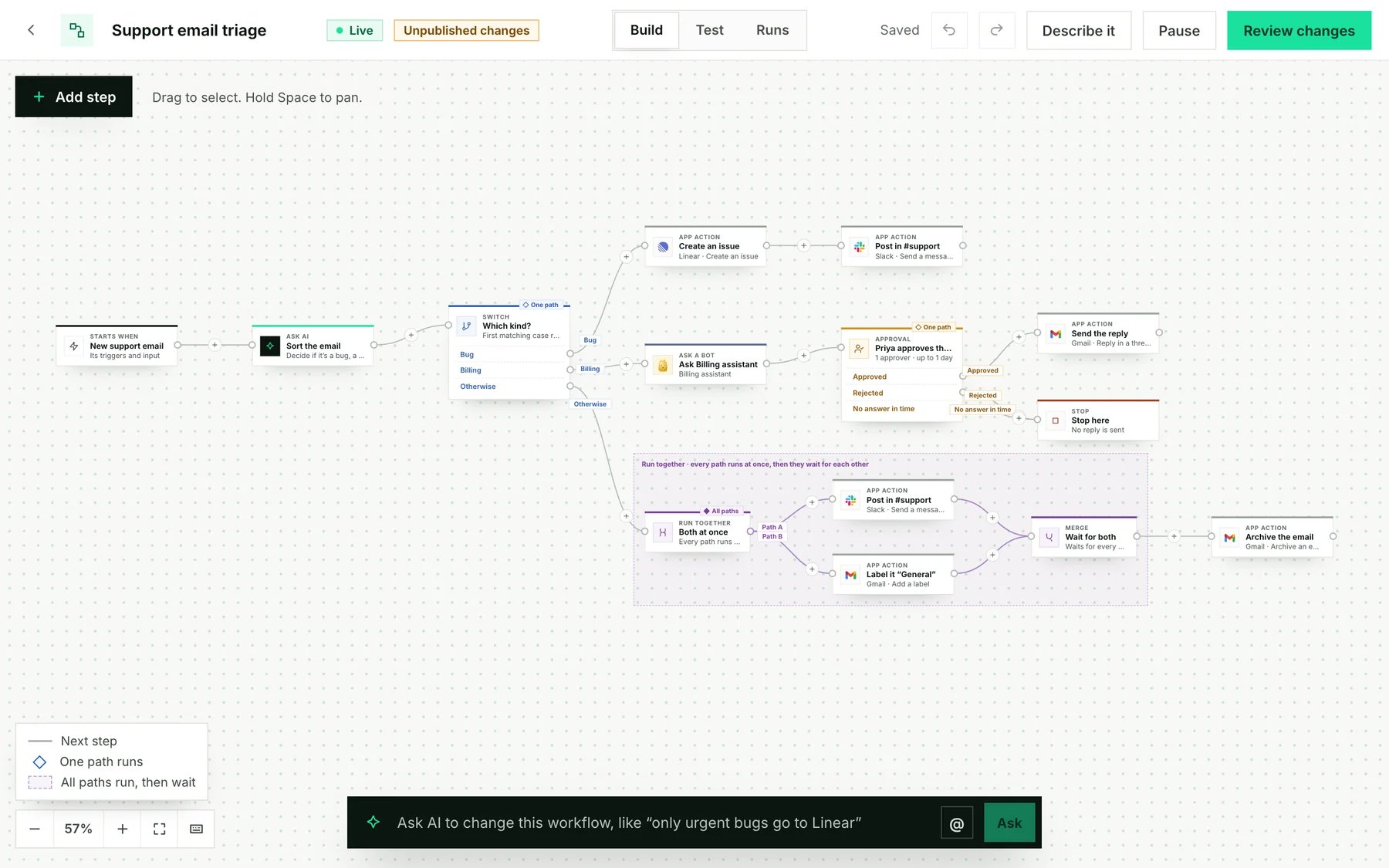
Start here
Build it in Stacklink
Describe it in a sentence, or build it step by step.
Use TypeScript or Python
Create and run workflows from your own code.
Ask Claude or Codex
Let your AI app draft one for you to review.
Put it in your app
Give your customers the same builder.
Bot or workflow?
| You want… | Use |
|---|---|
| Something that thinks for itself, like “review yesterday’s tickets” | A Bot |
| The same steps every time, like “sort each email, then file it” | A Workflow |
| Steps, plus some judgment in the middle | A workflow with an Ask a Bot step |
A workflow follows the steps and branching rules you define. An AI step inside it can still give a different answer each time.
It keeps its place
Stacklink saves after every step. Here, the email was already sorted when Create an issue failed, because Linear’s access had expired. You fix the cause and continue from that step. The sorting isn’t done again.
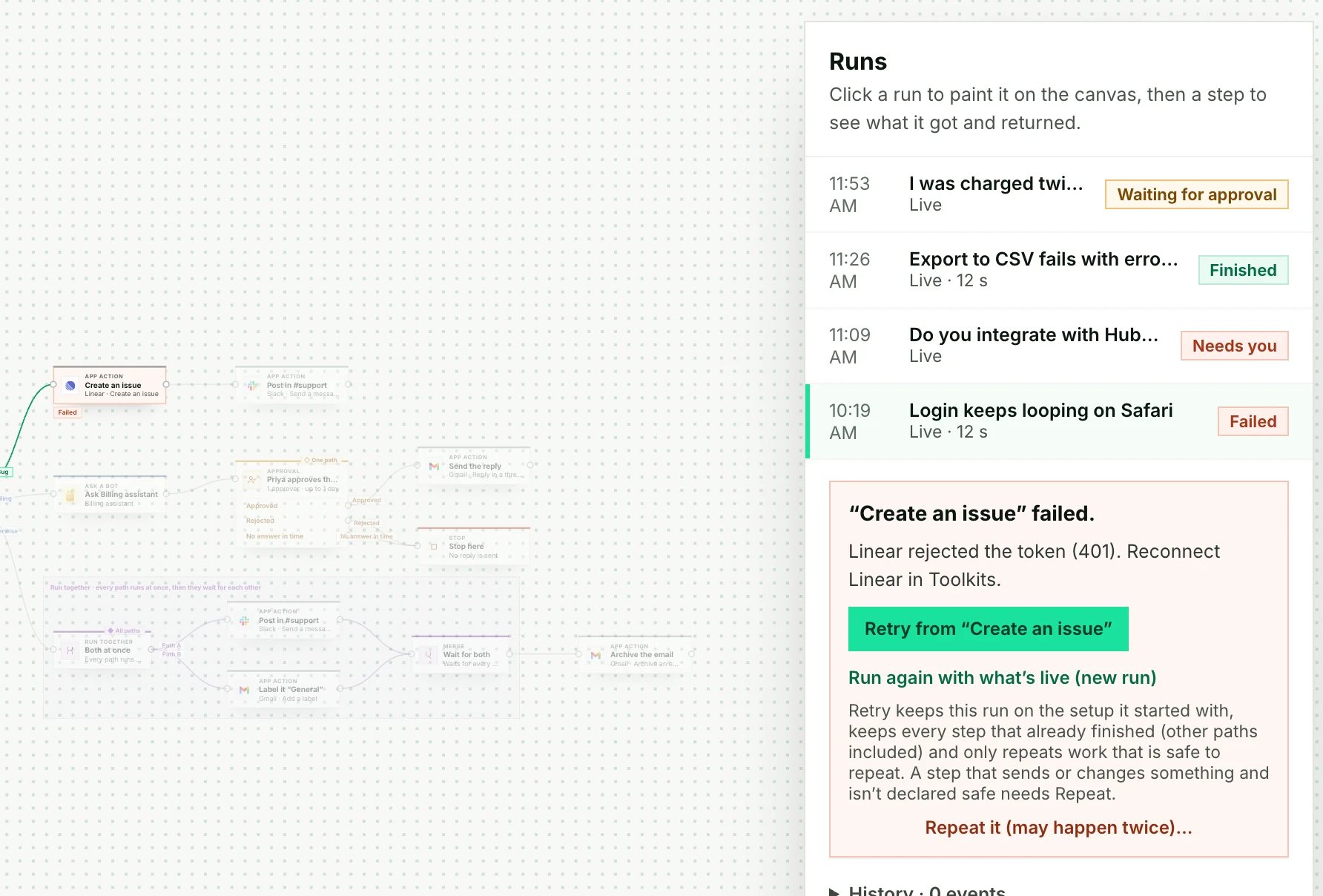
How retries and recovery work →
Embed the builder in your application
Building your own product? Your customers can build workflows inside your app with the same editor. See how →