Steps and data
The building blocks, and how one step passes information to the next.
Click + on a line to add a step there. Open Every step to see them all.
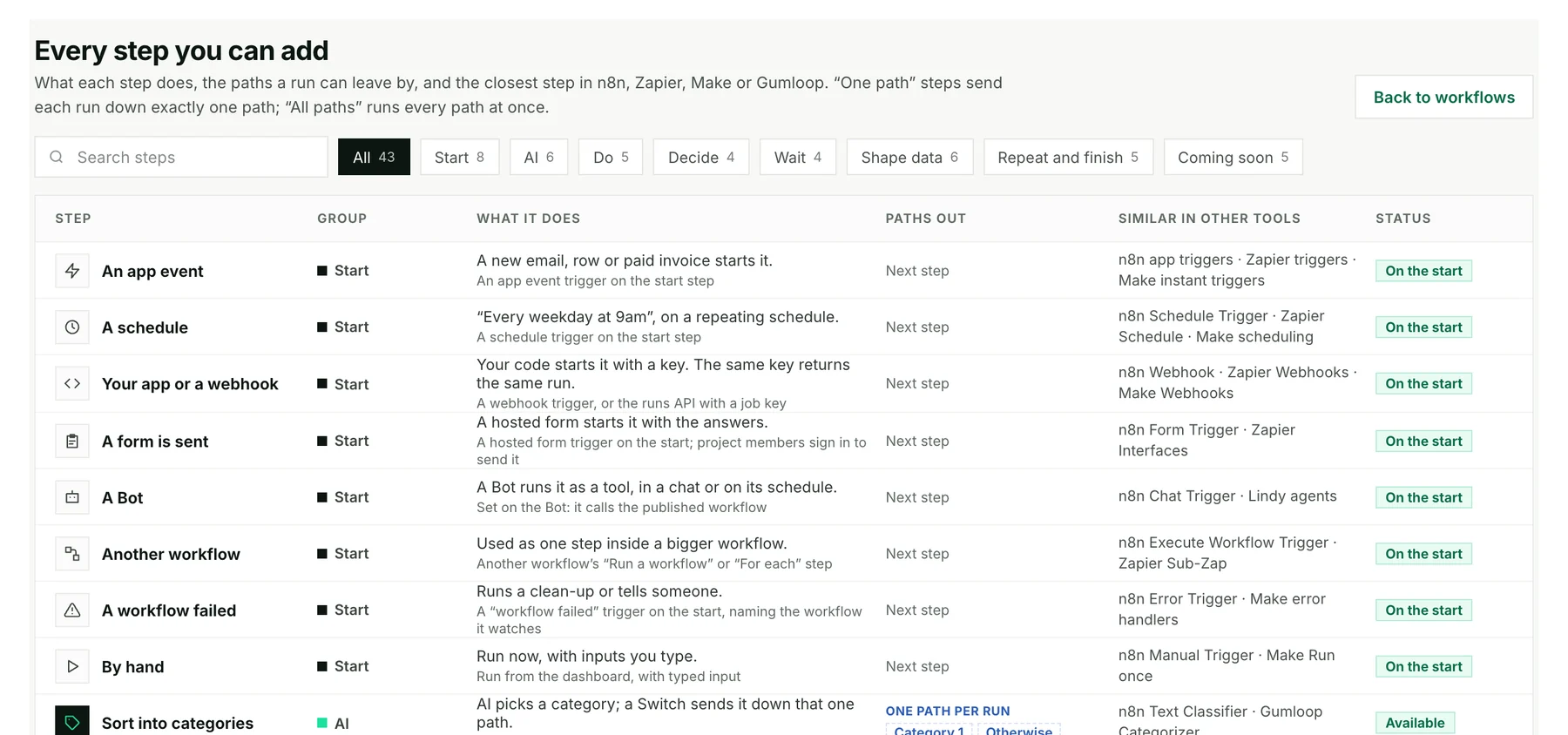
The main kinds of step
| To… | Use |
|---|---|
| Do something in an app | App action (Gmail, Slack, Linear…) or a saved API |
| Make a judgment | Ask AI or Ask a Bot |
| Choose a path | If, Switch or Filter |
| Do several things at once | Run together, then Wait for all |
| Wait | Wait, Approval or Form |
| Run your own code | Python, JavaScript or Bash |
| Finish | Return a result, Stop or Fail |
Set up an app step
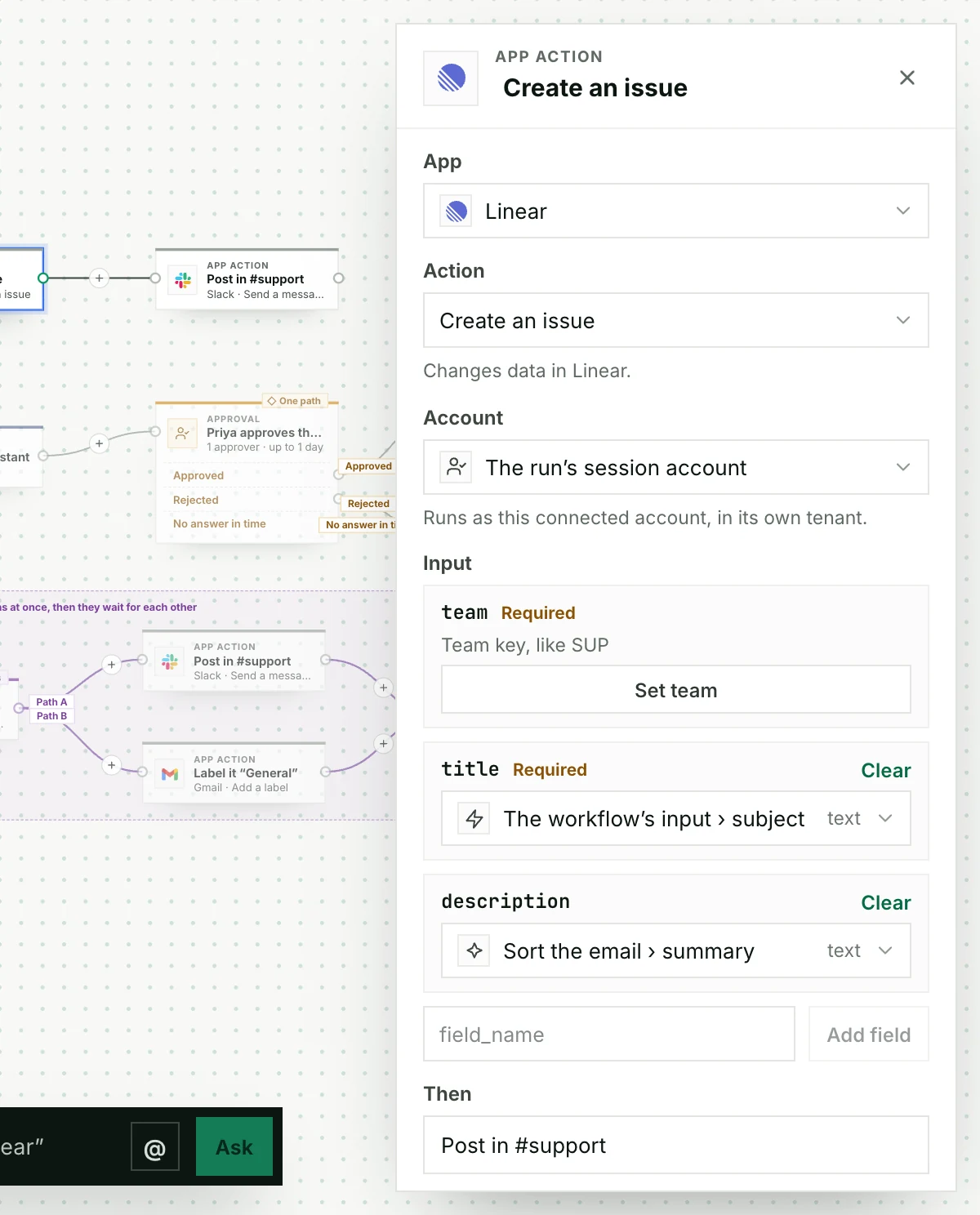
Pick the App, then the Action, then the Account to use. Only accounts you’re allowed to use appear.
Pass information along
Each field can take:
- A fixed value you type, like
#support. - The workflow’s input, like the email’s subject.
- An earlier step’s result, like the summary AI wrote.
If you delete a step that others use, Stacklink highlights the fields to fix.
Ask a Bot at one step
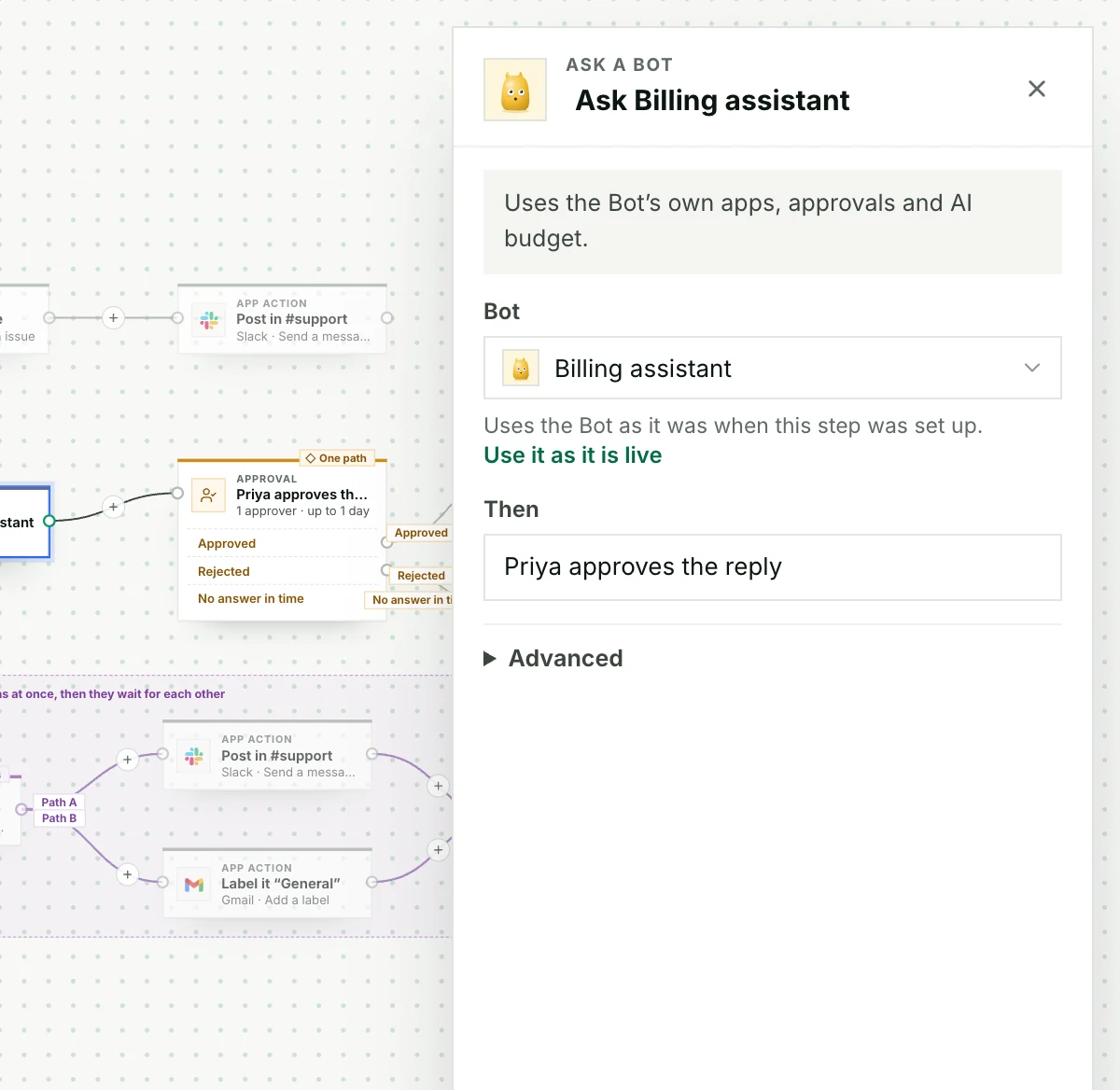
The workflow decides when to ask. The Bot decides how to answer. A run keeps the Bot version it started with, even through waits and retries.
- Publish the Bot first.
- Add Ask a Bot and choose it.
- Choose what to send it.
- Test with a sample answer before a live test.
It works the other way too: a Bot can run a workflow you attach to it. Bot capabilities →
Code, Memory, loops and canvas shortcuts
Python and JavaScript steps get your mapped values as workflow_input. Bash steps run a script without mapped fields. Code steps run for at most ten minutes, and JSON output can have a schema.
Remember saves the exact text you give it to Memory, as your app’s note rather than a person’s confirmation. You choose who it’s saved for; your project’s Memory rules still apply. If it’s retried, Stacklink checks the saved note instead of saving it twice. Recall reads Memory back.
For each runs a published workflow once per item, and keeps finished items if you retry.
Shortcuts: drag to select several steps, Delete removes them, Undo brings them back, hold Space to pan.
Coming soon: Digest, Compare two lists, Sort and limit, Repeat until, and business-hours waits.
Next: Test and publish →